

Getting Started with Golf in Second Life
First off, before we do anything, please forgive me for having gone radio silent on y’all for a few weeks. After the Masters (great tournament, challenging competition, lots of fun…suboptimal result), I took a little break from playing golf to explore some roleplaying, have some fun creating some fun SL cosplay, AND begin work on something…weird. More about that in a future post.
GIVEAWAY! I feel like it’s time for a good one! Leave a comment at the end of the blog post with your SL name AND when you got started playing golf in Second Life. I’ll pick a commenter at random and that individual will win a L$1,000 Steelhead/Truegolf Gift Card! The winner will be picked Sunday, May 18th, at 12pm.
Earlier in the week, a new golfer asked in the Rainbow chat about getting started with playing golf in SL. Like…starting from scratch: where to go, how to rent clubs, where to practice, how to play…the whole nine (see what I did there?). I spent some time getting him started, walking through the process of renting clubs and helping him find the driving range along with giving him a brief crash course in playing golf in Second Life.
Before I go any further, I want to, once again, state that I’m not an employee of TrueGolf or Steelhead Outfitters. I consider myself lucky to count those folks amongst my friends and I really respect them, but, when the rubber meets the road, I write Second Links for me and I don’t receive any reimbursement for it. I’m using TrueGolf in my tutorial here (such as it is) because that’s what I know and that’s what I use. If you prefer a different club set and want to discuss how one might get started using them, I’d be happy to sit down with you and you can educate me.
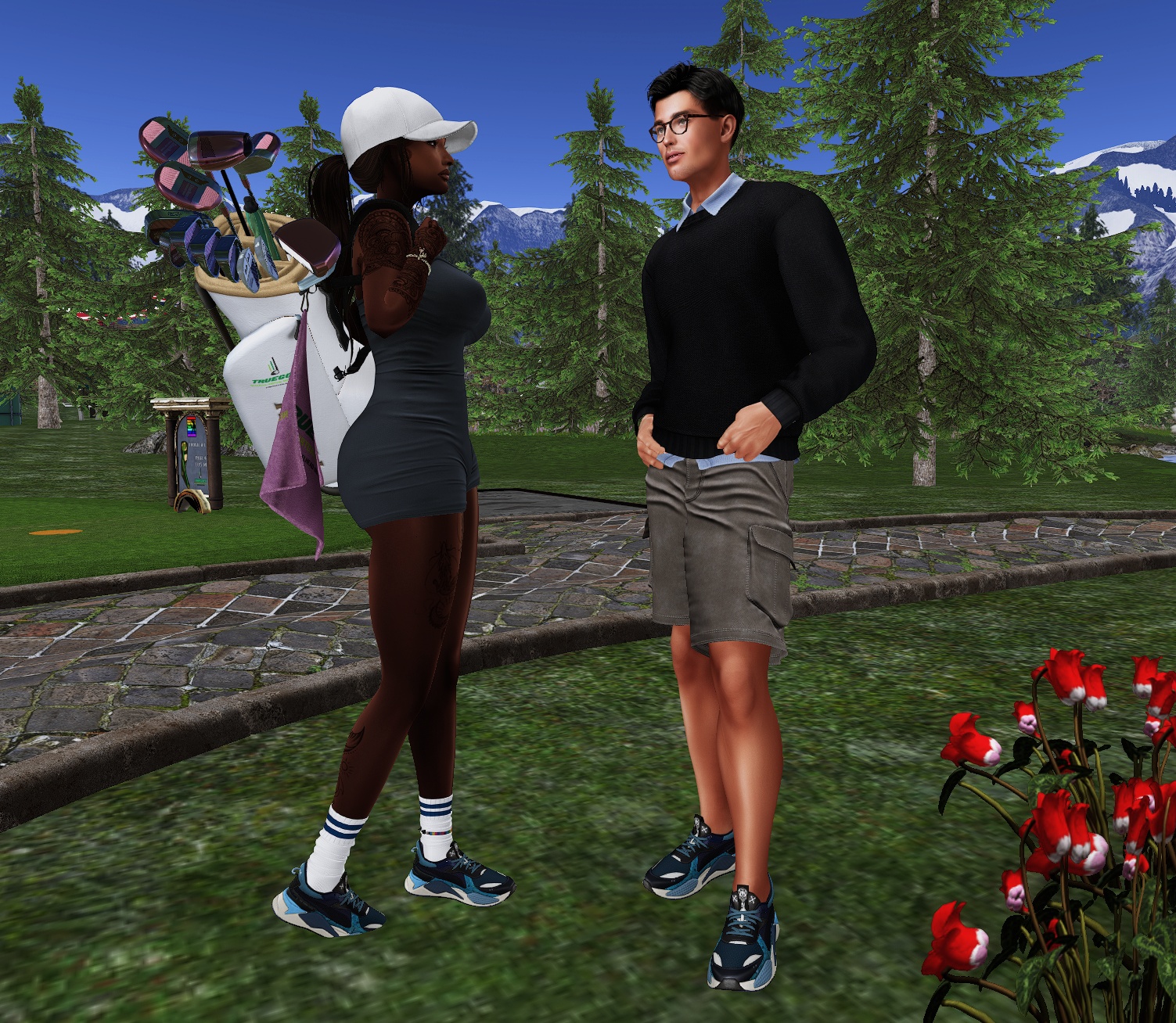
I’d like to introduce you to Kender, who has graciously volunteered to be my photo prop for today. That and he’s my own personal Ken doll, so he didn’t really have that much choice in the matter. Kender wants to join our awesome community, but doesn’t really know how to get started with golf in Second Life.
I’ve broken this down into pretty granular, little steps. I frequently have to ask my more knowledgeable friends to explain things to me like I’m five years old (ELI5!), which is to say break it down into small steps that are, I hope, easy to understand.
Step 1: Go to Rainbow Valley
Why did I choose Rainbow Valley? A lot of reasons. I think it’s a great course for new players that introduces them to a lot of the golf situations they’ll see at other courses. I think it’s a really pretty course. I like their practice green and driving range a lot. Finally, it’s the course I know best. Really, any course would do just fine. All of the courses I’ve played in SL are a lot of fun and you couldn’t make a bad choice here.
Make your way into the clubhouse and turn right into the pro shop area. If you’re in a small room filled with golf club displays, you’re in the right spot.
Step 2: Get your TrueGolf Rental HUD
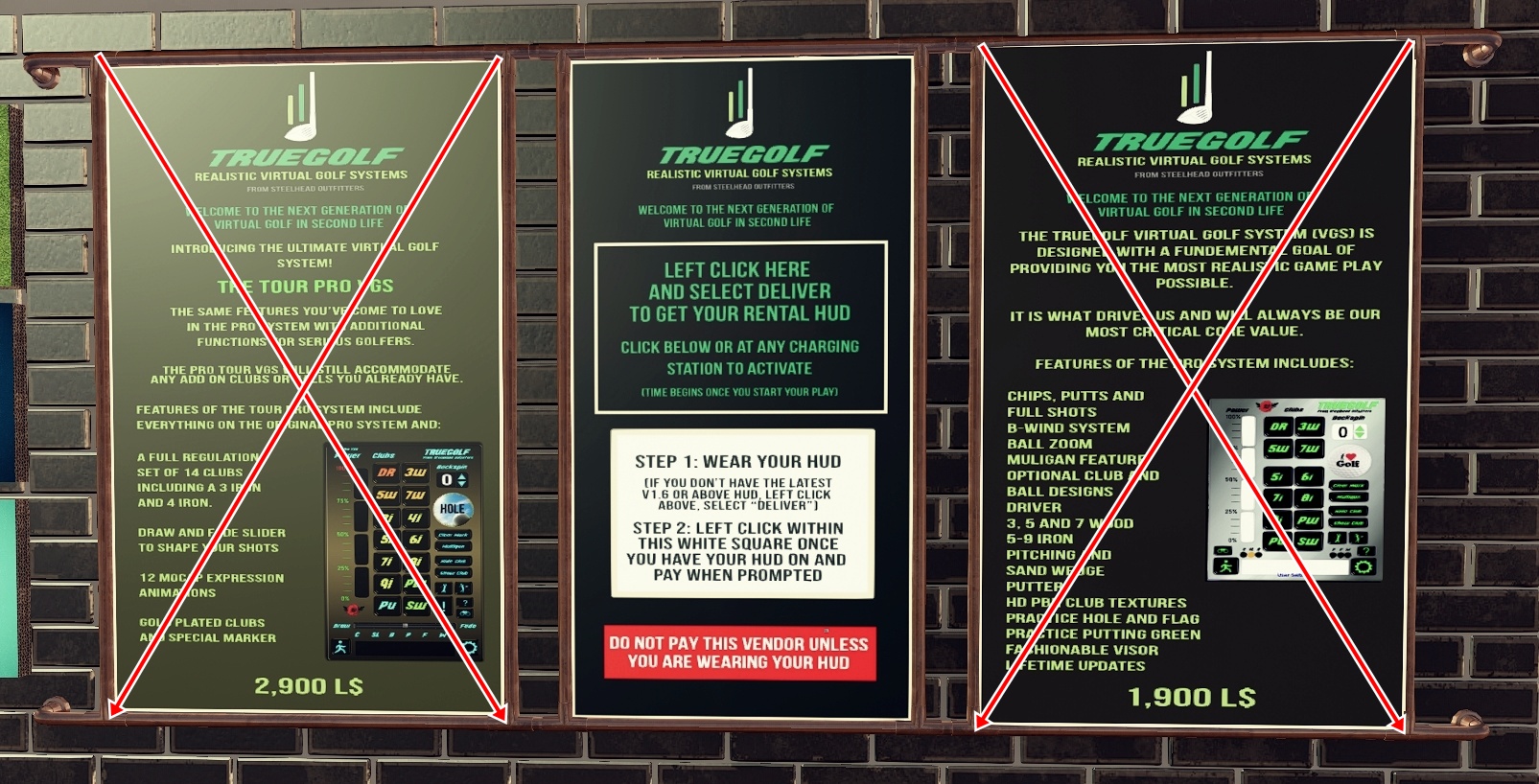
In the pro shop, you want to look at the wall opposite the golf clubs on display. You should see these three posters. The ones on the left and right (that have the big red X’s on them in this image) are for purchasing the clubs. Since, presumably, you haven’t played before and aren’t quite ready to buy your own set, you don’t want either one.
Instead, click the middle poster (right where it says LEFT CLICK HERE AND SELECT DELIVER TO GET YOUR RENTAL HUD). The poster will offer you an object called ‘Truegolf Rental HUD v1.6R’. Accept it and open your inventory (I use control+i for this); with any luck, you’ll see this in your objects folder.

Right-click the Rental HUD in your inventory and select ‘Add’. The HUD for your Truegolf Rental Clubs will appear in the lower-left corner of your viewer as you face your monitor.

You’ll be prompted to accept the TrueGolf Experience and you’ll need to accept it to be able to play with TrueGolf clubs. The experience won’t have any negative effect on the rest of your Second Life. In truth, there’s a good chance you have already accepted a number of experiences.
Your next step is to pay your rental fee. Renting a set of TrueGolf clubs costs L$100 for a 24 hour rental. You’re not limited as to how many balls you hit, how many rounds you play, or how many courses you visit, as long as you can fit them in a 24 hour window.
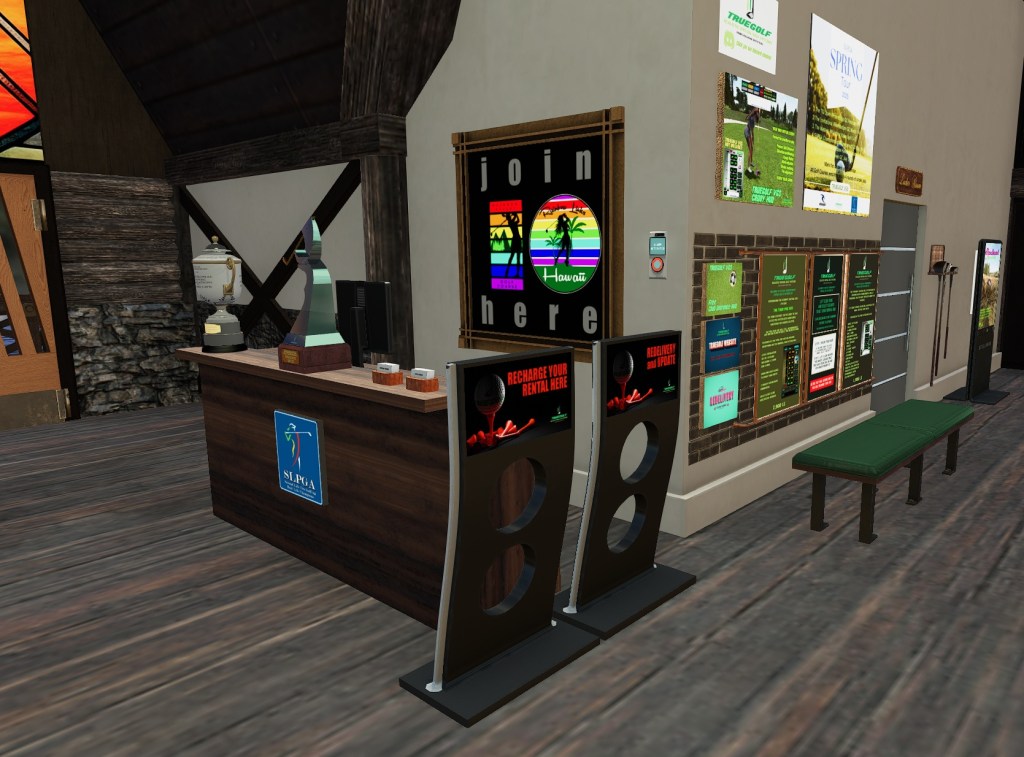
There are a number of these rental kiosks spotted around Rainbow Valley, but I picked this one because it’s close by and it has the group joiner. In fact, if you haven’t already done so, click the Join Here board to join the Rainbow Valley golf group. You’ll need to be a member to play here (and at Rainbow Links Hawaii, for that matter).

Time to pay the man. Well, the women, but you understand where I’m coming from. Left click the sign that reads ‘RECHARGE YOUR RENTAL HERE’. Wait a few seconds and then mouse over that sign again; your pointer should have changed into the universal icon for buying something (a circle with a dollar sign inside). Left click once more and you’ll be prompted to confirm the transaction. 100 lindens later, you’ll see this in your local chat window.

You’ve got your clubs and you’re good for 24 hours! Let’s go hit some balls! Leave the pro shop and turn right, following the arrow directing you to the tenth hole. Make sure no one is playing on the tenth, and walk down the fairway. A little to your right you’ll see the practice green and a really important sign.

You’ve reached the practice green! You’ve also reached the location of the TrueGolf Academy meetings. The morning of the first Saturday of each month, Chelsea Malibu gives golf lessons for everyone from new duffers to old hands. If you’re new to golf, I REALLY recommend them. Even if you’re not, and maybe you just have a trouble spot or two, I’d go and ask Chelsea about them. She helped me A LOT with my putting.
Continue walking beyond the putting green. You’ll see a covered picnic table on your left and bathrooms on your right until you reach your final destination: the driving range.

Next time, we’ll talk more about taking your first shots, a few free tricks and tools that will help your game, and we’ll start your first round.
Until then, fairways and greens!
Keyli
Credits
Keyli
- Body: Reborn – eBody
- Outfit: Erica Bodysuit – YALLA
- Socks: Classic Sports Socks – Belzebubble
- Shoes: SwearTech EV-XW Sneakers – Lapointe & Bastchild
Kender
- Body: Jake – Belleza
- Top: Ben Sweater & Shirt – ERAUQS
- Shorts: Kurt Shorts – Totally Wicked
- Shoes: SwearTech EV-XW Sneakers – Lapointe & Bastchild (COPYCAT!!!!)





 The Second Links Traveler
Leave a comment